
Excluding a line item
Summary. Hide a mistaken or unwanted line item from everywhere in the app — exports, the cost tracking page, financials, and the client's view — without deleting it in Buildxact or Xero.
Who can use it. Staff with cost-tracking edit access. Clients can't do this and never see that anything was hidden.
What it's for
Sometimes a line item comes through from Buildxact or Xero that shouldn't be on the job — a mistake, a duplicate, or something that can't easily be removed at the source. Deleting it in the external system is often awkward or impossible. Excluding it hides the line right across summit_app while leaving the original untouched in Buildxact/Xero.
How to use it
- Open the deal and go to the estimate category breakdown.
- Expand the category that contains the line, find the row, and click Exclude.
- The line immediately disappears from the estimate, the totals, exports, cost tracking,
financials, and the client's view.
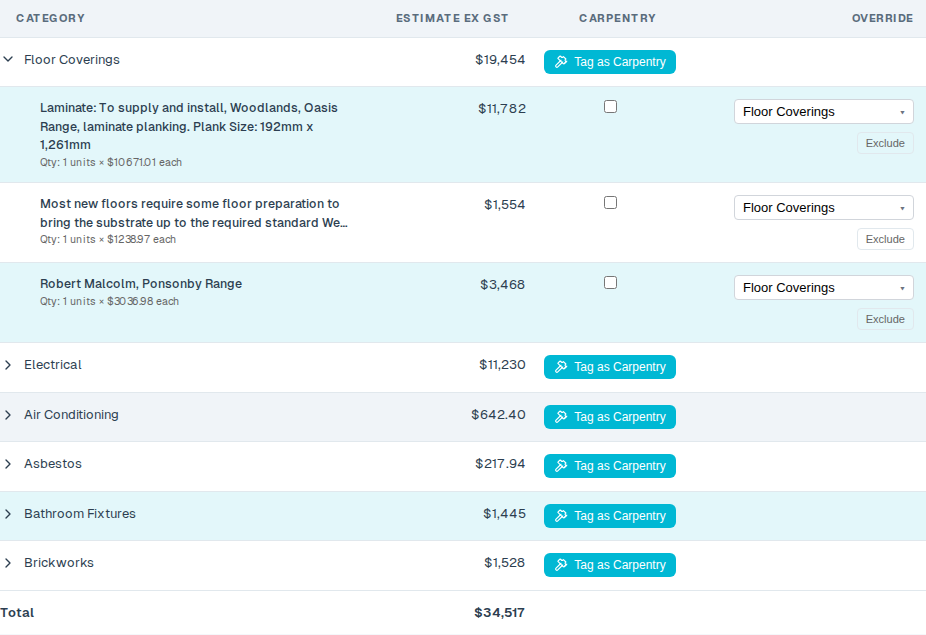
To bring it back: excluded lines are listed, greyed out and struck through, in an "Excluded line items" panel just below the estimate table (staff only). Click Restore on the line and it reappears everywhere.

What it affects
Excluding a line removes it from:
- the per-deal estimate / cost-tracking export;
- the combined deposits export;
- the cost tracking page totals and "projected to come";
- the client portal — estimates, variations, and the category cost bars;
- invoiced-by-category figures on financials.
For a Buildxact line, excluding the estimate line also removes its matching actual cost, so the estimated and actual figures disappear together.
Good to know
- The client sees nothing — not the line, and not the fact that anything was excluded.
- It doesn't touch Buildxact or Xero. Only what this app shows changes; the original
record stays exactly as it is in the external system. Restore any time.
- It doesn't change the top-line invoiced / paid totals on Financials. Those come from
whole invoices, not individual lines, so excluding a single line won't move them.
- Where you can click Exclude today: Buildxact estimate lines. Xero invoice lines and
native estimate lines are already hidden everywhere by the same rule, but the on-screen Exclude button for those two is still to come.
Status
Live. (SUMMIT-1474)