
Feature · Financials
Know where every job's money is, without opening a spreadsheet.
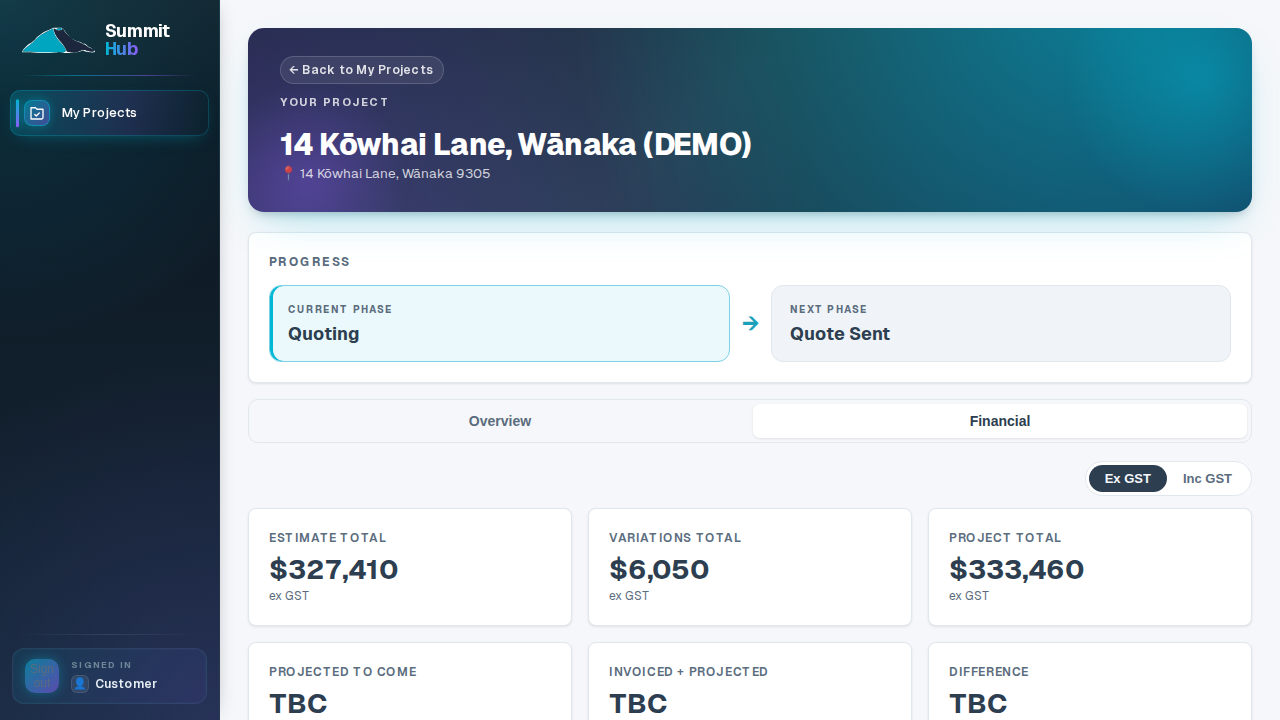
Summit Hub reads your Xero invoices and lines them up against the estimate, category by category, job by job. What's invoiced, what's still to come, what's drifting over: visible before it becomes an argument.
Connected to Xero
Your accounts stay in Xero. The picture lives here.
Connect Xero once and invoices match themselves to deals by client. The financial overview shows every active job's position at a glance: invoiced totals, work in flight, and the same cost chart your customer's portal is published from, so both sides are looking at one set of numbers.
- Xero on every plan. Accounting integrations are never paywalled: connect Xero on day one (MYOB coming).
- Cost tracking & projected-to-come. Set a revised at-completion figure per category and watch projected-to-come burn down as invoices land.
- Versioned Excel snapshots. Freeze the workbook at key moments (deposit, lock-up, handover) and keep an audit trail of what the client saw.
SECTION · PLANSCompare all plans →
Financials on every plan
✓SoloXero + financial overview
✓Crew+ Cost tracking & Excel versions
✓Company+ Cost tracking & Excel versions
One set of numbers. Both sides of the table.
Xero and the financial overview are on every plan; cost tracking comes with Crew.
See pricing